Free, open images.
Shaped by everyone.
A free, openly licensed image library shaped by what people search for. Every prompt returns the closest match in milliseconds; the ones the library can't answer yet are generated in the background and added for everyone. It only grows because people use it — no searches, no new images. The more we all search, the better it gets for all of us.


Closest match, not always exact.
wagmi.photos searches the shared library before anything else. Everyday prompts almost always land a strong match. Hyper-specific prompts return the closest image that already exists — close, but maybe not every detail.
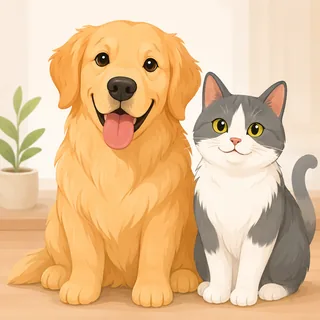 High match
 Closest match · may differ


 wagmi.photos
Faster. Cheaper. Better.
Built for speed and efficiency, so you create more for less — and every cache hit is served free from the shared library.
Speed
Average time per imagePrice
List price per imageTimes and prices vary with model, load, and settings; a cache hit skips generation entirely. Sources: OpenAI · Google · fal.ai · Artificial Analysis.
An image library shaped by the people who use it
Your request flows down, your image comes straight back up — and every prompt you send shapes what gets built next. The library is a record of what people actually want; with no one searching, nothing new is ever made.
- 1Your prompt's BGE vector is matched against the stored prompt of every image in the library.
- 2Near match — the image is served instantly. That's a hit.
- 3Truly new — you get a 202 and the prompt joins the build queue. No waiting.
- 4The backfill generates the most-requested misses, so tomorrow they're hits.
GMI Cloud
Runs the background GPUs that generate truly new images.
Stores every image durably — zero egress back to the edge.
Indexes each new image's prompt vector so the next similar prompt is a hit.
No users, no library.
Every search is a vote for what gets made next. The library isn't ours — it's the shape of what everyone's looking for. Use it and you grow it.
We're all gonna make it.Every prompt is checked before it's built
Two filters run before we ever spend a GPU. If a prompt trips either one, we don't generate it — and you still get the closest image already in the library.
Prompts that name brands, logos, or protected characters are stopped before generation — so we never mint images that infringe someone else's marks.
Every prompt runs an automated safety check — hate, violence, sexual, and self-harm — and anything flagged is turned away.
A stopped prompt still returns the nearest image already in the library. You get a result — we just never generate the risky one.
Use the OpenAI SDK.
Get wagmi caching.
No new SDK, no custom response format. Point your existing image-generation requests at
wagmi.photos and we return OpenAI-compatible responses with an extra
shared_cache block.
The API always returns the closest match with a
similarity score —
threshold client-side if you need stricter matching.
from openai import OpenAI

client = OpenAI(
    base_url="https://api.wagmi.photos/v1",
    api_key="YOUR_WAGMI_KEY",
)

img = client.images.generate(
    prompt="a corgi wearing sunglasses on a beach",
)
print(img.data[0].url)
curl -X POST https://api.wagmi.photos/v1/images/generations \
  -H "Authorization: Bearer $WAGMI_KEY" \
  -H "Content-Type: application/json" \
  -d '{"prompt": "a corgi wearing sunglasses on a beach"}'
{
  "data": [{ "url": "https://cdn.wagmi.photos/assets/pd12m-8f31…/image.webp" }],
  "shared_cache": {
    "result": "hit",
    "similarity": 0.9312,
    "source": "pd12m",
    "model_used": "flux-schnell",
    "cost_saved_usd": 0.055
  }
}
One plan. Every image.
A free, openly licensed image library that gets better the more it's used — full-resolution and open to everyone, plus a single upgrade that adds a commercial license and unlimited access. Two dollars a month, cheaper than every stock site.
Free
Search the whole library and pull the closest match, instantly. It grows the more it's used — and so does what you get back.
- Unlimited search & instant closest-match
- Full-resolution image URL in every response
- Full open-license public library
- Missing prompts generated in the background
- Commercial-use license & indemnity
- Unlimited rate + API access
Unlimited
Everything in Free, plus a clear commercial license and unlimited access — for a fraction of what every stock site charges.
Billed annually at $24 · cancel anytime
- Everything in Free
- Commercial-use license, no attribution
- Unlimited downloads, no rate limits
- Priority generation of your exact prompt
- OpenAI-compatible API access
Openly licensed. Close enough, on purpose.
Every image here is openly licensed — the seed pool is public-domain PD12M, and generated images are shared under the same permissive terms. Reach for wagmi.photos when you don't need a pixel-exact, one-off render: you need a good image now, with a license you don't have to think about. Need guaranteed commercial use? That's the one upgrade.
Questions, answered
The short version of how the shared library works, what you get back, and what it costs.
What is wagmi.photos?
Do I always get exactly my prompt?
Can I control how close a match has to be?
cache_tolerance parameter. The API always returns the closest match with a similarity score in shared_cache; threshold client-side by comparing that score to whatever floor your use case needs.What happens when my prompt isn't in the library yet?
Is it OpenAI-compatible?
shared_cache block telling you whether it was a hit, how close the match was, and what it saved you.Is it really free? What's the license?
Telemetry & performance
Plan
Credentials & authentication
Authorization: Bearer sc-…). This site is already authenticated by your login.
API keys are an Unlimited feature — upgrade to create one.
Advanced actions
This clears your browser's local state — the telemetry counters. Your account and API keys are stored server-side and are not affected.
API reference
One OpenAI-compatible endpoint, a shared image library in front of it. Everything below is the whole API.
Authentication
All generation requests need a Bearer key, and keys belong to your account. Log in with a magic link (we email it to you — no password), then create a key on the Account page. Or call the endpoint directly with your logged-in session cookie:
# requires a logged-in session — unauthenticated calls return 401
curl -X POST https://api.wagmi.photos/v1/keys/generate \
  -H "Cookie: wagmi_session=…" \
  -H "Content-Type: application/json" \
  -d '{ "label": "my-laptop" }'

{ "key": "sc-nA93…", "created_at": 1783468800 }
Key minting is rate-limited (10 per minute per IP). Store the key yourself — it is
hashed (SHA-256) before it touches our database, so it cannot be shown again. Send
it on every request as Authorization: Bearer sc-your-key.
Generate or fetch an image
The request shape matches the OpenAI Images API, so the official SDKs work by
pointing base_url at https://api.wagmi.photos/v1.
Your prompt is embedded with BGE and matched against the stored prompt of every
image in the shared library. The API always returns the closest match with a
similarity score — threshold client-side if you need stricter
matching; there is no cache_tolerance or generate_on_miss
request parameter.
Request body
| Field | Type | Default | Description |
|---|---|---|---|
| prompt | string | required | What you want. Prompts are normalized (trimmed, lowercased, whitespace collapsed) before matching and queueing. |
| collection | string | — | Scope matching to a collection by ID (col_…). The collection's theme prompt is appended before matching. Scoped requests never queue background generation — to generate fresh into a collection with your own key, use POST /v1/collections/:id/generations instead. Official SDKs pass it via extra_body. Additional collections unlock with lifetime generated images (10 for the 2nd, 100 for the 3rd, 1000 for the 4th, …). |
| n | integer | 1 | Only 1 is supported; anything else returns 422. |
| size | string | — | Accepted for OpenAI compatibility. Every response already includes thumb, medium and large URLs. |
| model | string | — | Accepted for OpenAI compatibility. Matching is model-agnostic; shared_cache.model_used reports the model that created the served image. |
Example
curl -X POST https://api.wagmi.photos/v1/images/generations \
  -H "Authorization: Bearer $WAGMI_KEY" -H "Content-Type: application/json" \
  -d '{"prompt": "a lighthouse in a storm"}'
Example — scoped to a collection
Pass collection to search inside one collection instead of the whole
shared library. Official SDKs pass it via extra_body:
from openai import OpenAI

client = OpenAI(base_url="https://api.wagmi.photos/v1", api_key="YOUR_WAGMI_KEY")

img = client.images.generate(
    prompt="a watercolor fox in morning fog",
    extra_body={"collection": "col_abc123"},
)
Response — served from the library (200)
{
  "created": 1783468800,
  "data": [{ "url": "https://cdn.wagmi.photos/assets/pd12m-8f31…/image.webp" }],
  "shared_cache": {
    "result": "hit",
    "similarity": 0.93,
    "cost_saved_usd": 0.055,
    "model_used": "flux-schnell",
    "source": "pd12m",
    "sizes": { "thumb": "…", "medium": "…", "large": "…" },
    "original_url": "https://pd12m.s3.us-west-2.amazonaws.com/…"
  }
}
original_url is the external source image when one exists, and
null for generated images.
Response — nothing close enough yet (202)
{
  "created": 1783468800,
  "data": [],
  "shared_cache": {
    "result": "pending",
    "similarity": 0,
    "cost_saved_usd": 0,
    "generation_queued": true
  }
}
Result values
| result | Status | Meaning |
|---|---|---|
| hit | 200 | Similarity is at or above the match floor. The image is served; nothing is queued. |
| approximate | 200 | The best image falls below the floor. It is served anyway so you have something to show, and the prompt is queued for demand-ranked background generation. generation_queued is included and cost_saved_usd is 0 — only true hits count as savings. |
| pending | 202 | The library has nothing to serve. data is empty and the prompt is queued for demand-ranked background generation. Retry the same prompt later — once built, it is a hit for everyone. |
Want a fresh image on your own schedule instead of waiting on demand-ranked backfill? Generate into a collection with your own BYOK provider key on the Collections tab — see Create images in your collections below.
How matching works
Matching is prompt-to-prompt: your prompt's BGE text embedding
(bge-base-en-v1.5 on Workers AI) is compared by cosine similarity
against the stored prompt embedding of every library image. The single nearest
library prompt is compared against a fixed similarity floor (≈0.85, server-side —
not a request parameter) — at or above it you get a hit, below it an
approximate. Realistic scores live in the ~0.7–0.95 band. The API
always returns the closest match with its similarity score in
shared_cache; threshold client-side if you need stricter matching. See
how semantic matching works for
the full picture.
Background generation semantics
Every miss (approximate or pending) records the prompt's
demand. There is no per-request opt-out — generation is decided centrally by
demand-ranking, so the most-requested misses get built first by the shared backfill
and become hits for everyone. shared_cache.generation_queued tells you
whether this specific request's prompt is in that queue.
Errors
| Status | When |
|---|---|
| 400 | Body is not valid JSON, or not a JSON object. |
| 401 | Missing or invalid API key. |
| 422 | n is set to anything but 1, prompt is missing/empty/too long, or collection is present but not a non-empty string. |
| 429 | Rate limit exceeded — generation requests (per account) and key minting (per IP) are each limited to 10 per minute. |
| 502 | An upstream dependency failed; the body includes a detail string. |
Create images in your collections
Generate a fresh image straight into a collection you own, using your own
BYOK provider key set up on the Collections tab. Unlike
POST /v1/images/generations, this endpoint always spends — it is the
deliberate, async escape hatch for when you want your exact prompt now instead of
waiting on demand-ranked backfill. It starts a background job and returns
immediately; poll the ticket it hands back until it leaves
queued/generating.
Start a generation
# Start a generation (requires your own provider key + a collection you own)
curl -X POST https://api.wagmi.photos/v1/collections/col_abc123/generations \
  -H "Authorization: Bearer sc-..." -H "Content-Type: application/json" \
  -d '{"prompt": "a watercolor fox in morning fog"}'
# -> 202 {"generation": {"id": "gen_...", "status": "generating", ...}, "byok": {"used": 3, "cap": 50, ...}}
Poll the ticket
# Poll the ticket until it leaves queued/generating
curl https://api.wagmi.photos/v1/generations/gen_... -H "Authorization: Bearer sc-..."
# -> {"generation": {"status": "succeeded", "image": {"url": "...", "thumb_url": "..."}}}
Statuses, refunds & ownership
A generation moves through queued → generating →
succeeded or failed. Keep polling
GET /v1/generations/:id while it is queued or
generating; once it reaches a terminal status the response carries the
image URLs (on succeeded) or an error string (on
failed).
A generation that ends in failed is automatically refunded against
your monthly cap — a failed attempt never counts toward used.
Collections are private capabilities: requesting a generation for a collection you
don't own, or fetching a generation id you didn't create, returns 404
— the same as an unknown id.
Health
Returns {"status":"ok"}. No authentication.
A drop-in for the OpenAI Images API
Keep the official OpenAI SDK. Change one line — the base URL — and every request is answered cache-first, with a shared_cache block riding along in the response.
The only change
base_url = "https://api.openai.com/v1"
base_url = "https://api.wagmi.photos/v1"
Swap your key for a wagmi.photos key (sc-…). Method names, the prompt field, and the way you read data[0].url stay exactly the same.
Python
from openai import OpenAI

client = OpenAI(
    base_url="https://api.wagmi.photos/v1",
    api_key="sc-your-key",
)

img = client.images.generate(
    prompt="a lighthouse in a storm",
)

print(img.data[0].url)
# shared_cache always carries the closest match + a similarity score.
# Scope to a collection with extra_body={"collection": "col_..."}.
JavaScript
import OpenAI from "openai";

const client = new OpenAI({
  baseURL: "https://api.wagmi.photos/v1",
  apiKey: "sc-your-key",
});

const img = await client.images.generate({
  prompt: "a lighthouse in a storm",
});

console.log(img.data[0].url);
cURL
curl -X POST https://api.wagmi.photos/v1/images/generations \
  -H "Authorization: Bearer $WAGMI_KEY" \
  -H "Content-Type: application/json" \
  -d '{ "prompt": "a lighthouse in a storm" }'
What stays the same, what you gain
Unchanged
- The official OpenAI SDKs and method names
- The
promptfield and request flow - Reading the image from
data[0].url
Added by wagmi.photos
- A
shared_cacheblock: result, similarity, cost saved - ~0.1 s cache hits at $0 per image
- Always the closest match, with a
similarityscore to threshold client-side
202 means nothing close was cached yet — data is empty and the prompt was queued for demand-ranked background generation. Handle it like a soft miss: proceed without an image or retry later. Full details in the API reference.How semantic matching works
Every library image is stored with the prompt that made it. A match is just the nearest stored prompt to your prompt — text to text, no keywords, no tags.
Prompts match prompts
wagmi.photos embeds text prompts into a 768-dimensional space with the
bge-base-en-v1.5 model, running on Workers AI at the edge. Every
image in the library is indexed by the embedding of
its own prompt —
there are no image vectors. Because your prompt and the stored prompts are embedded
by the same model, "a golden retriever" lands right next to the prompts that
already produced one.
From prompt to match
- Your prompt is normalized (trimmed, lowercased, whitespace collapsed).
- BGE turns it into a 768-dim text vector at the edge.
- Vectorize finds the single nearest stored prompt vector by cosine similarity.
- That similarity is compared to a fixed match floor — at or above it is a hit; below it is approximate.
Similarity, illustrated
Illustrative cosine-similarity scores — in practice they land in a fairly narrow ~0.7–0.95 band. The generic prompt lands squarely on an existing prompt; the very specific one only finds a distant cousin.
A fixed floor decides hit vs. approximate
The cosine-similarity floor a match must clear is fixed server-side (≈0.85, between 0.75 and 0.87) — it's not a request parameter, so there's no cache_tolerance to tune. The API always returns the closest match with its similarity score in shared_cache; threshold client-side if your use case needs something stricter.
At or above the floor you get a hit. Below it, the closest image is still served as approximate and the prompt is queued for demand-ranked background generation.
Give your agent cheap images
Paste this skill file into your coding agent — a Claude Code SKILL.md, a Cursor rule, or a system-prompt block — so it reaches for the shared cache before paying to generate.
The skill file
Save it as SKILL.md or drop it straight into your agent's instructions. It hands the agent the endpoint, the request shape, and — the part that matters — how to act on hit / approximate / pending.
---
name: wagmi-photos-images
description: Fetch images cheaply and instantly from the wagmi.photos shared cache before paying to generate. Use whenever a task needs an image and "close enough" beats pixel-perfect.
---

# wagmi.photos — cache-first images

Get an image in ~100 ms for $0 by matching the shared library first. Only pay a
generator when the prompt is genuinely new or must be exact.

## When to use this
- You need a stock-style or illustrative image and an approximate match is fine.
- You want to avoid generation cost and latency by default.

Do NOT rely on the cache when the image must match a hyper-specific prompt
exactly (brand assets, precise composition). Use a dedicated image model there.

## Endpoint
POST https://api.wagmi.photos/v1/images/generations
  Authorization: Bearer sc-your-key
  Content-Type: application/json

Body fields:
- prompt      (string, required)
- collection  (string, optional) scope the search to a collection you own (col_...)
- n           (integer, optional) only 1 is supported
- size        (string, optional) accepted for OpenAI compatibility, ignored

There is no cache_tolerance or generate_on_miss field. The API always returns
the closest match with a similarity score in shared_cache — threshold
client-side if the task needs stricter matching.

## Call it
curl -X POST https://api.wagmi.photos/v1/images/generations \
  -H "Authorization: Bearer $WAGMI_KEY" \
  -H "Content-Type: application/json" \
  -d '{"prompt": "a vintage bicycle against a brick wall"}'

## Act on shared_cache.result
- "hit"          (HTTP 200): use data[0].url. Free and instant, you are done.
- "approximate"  (HTTP 200): a close image is in data[0].url. Use it only if it
                  fits the task; the exact prompt was queued for demand-ranked
                  background generation.
- "pending"      (HTTP 202): nothing close yet, data is empty. Generate with
                  your own model if you need an image now. The prompt was
                  queued, so retrying later will hit for $0.

## Rules for the agent
1. Always check shared_cache.similarity before treating a result as good
   enough — the API never withholds a result, it just tells you how close it is.
2. Never treat "approximate" as exact — verify it matches the request.
3. On 202, do not block waiting. Proceed without an image or fall back to a real
   generator, then retry the same prompt later for a cheap hit.
4. Reuse one wagmi.photos key. It is hashed server-side; keep it secret.
How the agent should behave
Default path — cheap & fast
- Ask the cache first for anything illustrative.
- Accept
approximatewhen it fits the task. - On
pending, don't block waiting — proceed or retry later.
When exact matters
- Check
shared_cache.similarityand reject matches below your own bar. - Scope to a
collectionwhen you need a narrower, themed pool. - On
pending, fall back to a dedicated model.
Wire up a key
Keys are tied to your account. Log in with a magic link (email, no password), create a key on the Account page, then export it as WAGMI_KEY:
# 1. Log in at https://wagmi.photos/#/login (magic-link email)
# 2. Account → Create API key → copy the sc-… key (shown once)
export WAGMI_KEY=sc-…
Prefer the API? POST /v1/keys/generate also works with a logged-in session cookie — unauthenticated calls return 401. The full field reference lives in the API docs.
Terms of Use
Effective Date: July 8, 2026 · Version 2026-07-08
These terms are an agreement between you and Suppers Software Limited ("we", "us"), a company based in Hamilton, New Zealand, which operates wagmi.photos ("the service"). By creating an account or using the service, you accept them. If you don't agree, please don't use the service.
1. Who can use it
You must be at least 18, or the age of majority where you live, and able to enter a binding agreement. If you use the service for an organization, you confirm you're authorized to accept these terms on its behalf.
2. The service
wagmi.photos is a shared, semantic image cache. Your prompt is matched against an openly licensed library and the closest image is returned instantly; genuinely new prompts are generated in the background by a shared worker and added to the library. A free tier and a paid upgrade are offered — current prices are on the pricing page and may change.
3. Your account
Sign-in is by magic link sent to your email. You're responsible for your account, your email inbox, and any API keys you create — keys are shown once, so keep them safe. Don't share your access or let others use your account, and tell us promptly if you suspect unauthorized use.
4. Acceptable use
You agree that:
- Your prompts and their outputs are your responsibility. You will not request, generate, download, or redistribute images that infringe any third party's copyright, trademark, publicity, or other rights, or that are illegal, harmful, or that violate our content rules.
- You will not attempt to produce sexual content involving minors, realistic depictions of identifiable real people without consent, or other prohibited or unlawful content.
- You will not abuse the service — no denial-of-service, scraping, cache pollution, reverse engineering, bulk extraction of the library, or circumventing our filters, rate limits, or security.
5. Filtering and moderation
Before generation we screen prompts with a trademark/brand denylist and automated content moderation, and we may refuse a prompt, remove content, or suspend an account. Screening is a safeguard, not a guarantee — you remain responsible for your use and outputs.
6. Content and the shared library
This is a shared cache: prompts you submit and the images generated for them join the openly licensed library so future requests can reuse them. By submitting a prompt you grant us a worldwide, royalty-free license to store, process, display, and redistribute the prompt and its resulting image as part of that library. You confirm you have the right to submit each prompt, and you agree not to include private or personal information in prompts.
7. Ownership and licensing
- Seeded catalog: the pre-seeded images come from the PD12M dataset (Spawning), licensed CDLA-Permissive-2.0 — you may copy, distribute, modify, and use them for commercial or personal purposes without attribution.
- Generated images: outputs are produced by third-party AI models. As between you and us, you may use the outputs returned to you, subject to those providers' terms. Note that purely AI-generated images may not qualify for copyright protection, and we make no warranty that any output is free of protected or trademarked content.
8. Disclaimers
The service and all outputs are provided "as is" and "as available", without warranties of any kind — including non-infringement, merchantability, fitness for a particular purpose, accuracy, or uninterrupted availability.
9. Limitation of liability
To the fullest extent permitted by law, we are not liable for indirect, incidental, special, or consequential damages, or for lost profits or data. Our total liability for any claim is limited to the greater of what you paid us in the three months before the claim, or US$50.
10. Indemnification
You will indemnify and hold wagmi.photos harmless from claims, damages, liabilities, and reasonable costs (including legal fees) arising from your prompts, your use of the service, your outputs, or your breach of these terms.
11. Suspension and termination
You may stop using the service and delete your account at any time. We may suspend or end access if you breach these terms or to protect the service or others. Content already contributed to the shared library may remain after your account is closed.
12. Changes
We may update the service and these terms. When we make a material change to these terms we bump the version and ask you to accept the new version before continuing; continued use after minor changes means you accept them.
13. Governing law
These terms are governed by the laws of New Zealand, without regard to conflict-of-law rules, and you agree to the exclusive jurisdiction of the New Zealand courts.
14. Contact
Questions about these terms: support@suppers.ai. wagmi.photos is a service of Suppers Software Limited, Hamilton, New Zealand.
See also our Privacy Policy.
Privacy Policy
Effective Date: July 8, 2026
wagmi.photos is operated by Suppers Software Limited (Hamilton, New Zealand), the data controller. This explains what we collect, why, and who processes it.
1. What we collect
- Email address — for magic-link sign-in and to operate your account. Not sold, and not shared except with the providers below to run the service.
- Session cookie — one HttpOnly, essential cookie that keeps you signed in. No advertising or tracking cookies.
- API keys, as hashes — stored only as a SHA-256 hash; we cannot recover or display the key itself, so keep your copy safe.
- Prompts and images — stored (with demand counts) to run the shared cache and rank background generation; generated images join the shared, openly licensed library. Please don't put private or personal information in prompts.
- Terms-acceptance record — when you accept our Terms of Use we record the version, the time, your IP address, and your browser's user-agent, as proof of consent.
- Local browser state — the telemetry counters live only in your browser and can be cleared any time from the Account page.
2. How we use it
To operate your account, run and rank the shared cache, keep the service safe (prompt filtering and moderation), prove consent, and prevent abuse. We don't sell your data.
3. Who processes your data
We rely on these providers to run the service; your prompts and/or account data pass through them:
- Cloudflare — hosting, the edge worker, prompt embeddings, vector search, and the account database.
- OpenAI — automated safety moderation of prompt text before generation.
- GMI Cloud — image generation for cache misses (receives the prompt).
- Backblaze B2 — durable storage of the images.
- Resend — sends your magic-link sign-in emails.
4. Retention
Account data is kept while your account exists. Prompts and images contributed to the shared cache persist as part of the library. Acceptance and security records are kept as long as needed for legal and safety purposes.
5. Your choices
You can delete your API keys any time, and request deletion of your account by contacting us. Images already contributed to the shared library may remain.
6. Security
All communication with wagmi.photos is encrypted with HTTPS, API keys are stored only as hashes, and the session cookie is HttpOnly.
7. Children
The service isn't intended for anyone under 18 (or the age of majority where you live).
8. Changes & contact
We may update this policy; the effective date shows the latest version. Privacy questions: support@suppers.ai.
See also our Terms of Use.